A leading China factory specializing in Wireless Tour Guide Systems, Church Audio Guides, and Translation Headphones with premium OEM/ODM solutions.

Tel:+86 18922879583

Email:tiger.wang@richitek.com

RC2402 RC2406 RC2500 Multilingual Conference: Maintenance and Care Guide

🔧 RC2406 / RC2402 / RC2500 Multilingual Conference Maintenance Walkthrough

Every minute counts in a Multilingual Conference operation. Technical audio issues cause 10+ minute delays per conference session, and when interpreters cannot hear delegates clearly, the entire program stalls. With RC2402, RC2406 and RC2500, teams can cut interpretation accuracy gaps significantly while maintaining consistent audio quality across every language channel. This implementation walkthrough focuses on the practical maintenance and care routines that keep these wireless systems performing at their peak during demanding multilingual events.

🔧 Why Maintenance Matters for Multilingual Conference Equipment

A multilingual conference is a high-stakes environment where dozens of participants rely on uninterrupted audio feeds in their native languages. Unlike a simple guided tour, conference sessions often run back-to-back with minimal downtime between presentations. The RC2406, RC2402 and RC2500 units are engineered for reliability, but they still require routine attention to deliver flawless performance. Dust, humidity, battery wear, and connector fatigue are the most common culprits behind mid-session failures. By implementing a structured maintenance schedule, conference organizers can prevent the majority of audio dropouts and channel interference issues before they affect the audience. The key benefits of RC2406, RC2402 and RC2500 for Multilingual Conference extend beyond audio quality. Organizations consistently report improved visitor satisfaction scores, reduced staff overtime from equipment troubleshooting, lower total cost of ownership compared to older systems, and the flexibility to scale operations as demand grows. When these devices are properly maintained, their lifespan extends significantly, and the return on investment becomes even more compelling. A well-maintained fleet of transmitters and receivers also projects professionalism to conference attendees who expect seamless multilingual support.

🔧 Step-by-Step Maintenance Implementation Guide

A successful deployment of RC2406, RC2402 and RC2500 for Multilingual Conference involves three key phases: preparation, installation, and optimization. During preparation, map your conference floor plan and identify any problematic zones such as areas with heavy Wi-Fi traffic or physical obstructions. Installation focuses on proper transmitter placement for optimal coverage across the venue. Optimization involves fine-tuning channel settings and training staff on the daily workflow. Each phase includes specific maintenance tasks that ensure the equipment remains in top condition throughout the event lifecycle.

Phase One: Preparation and Inspection

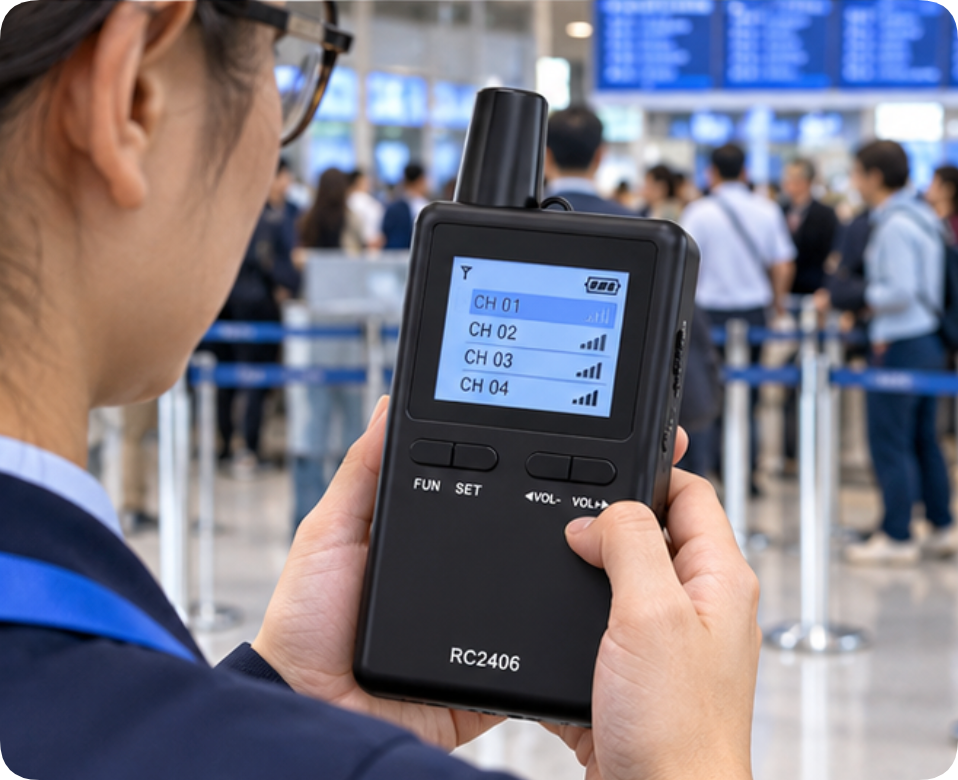
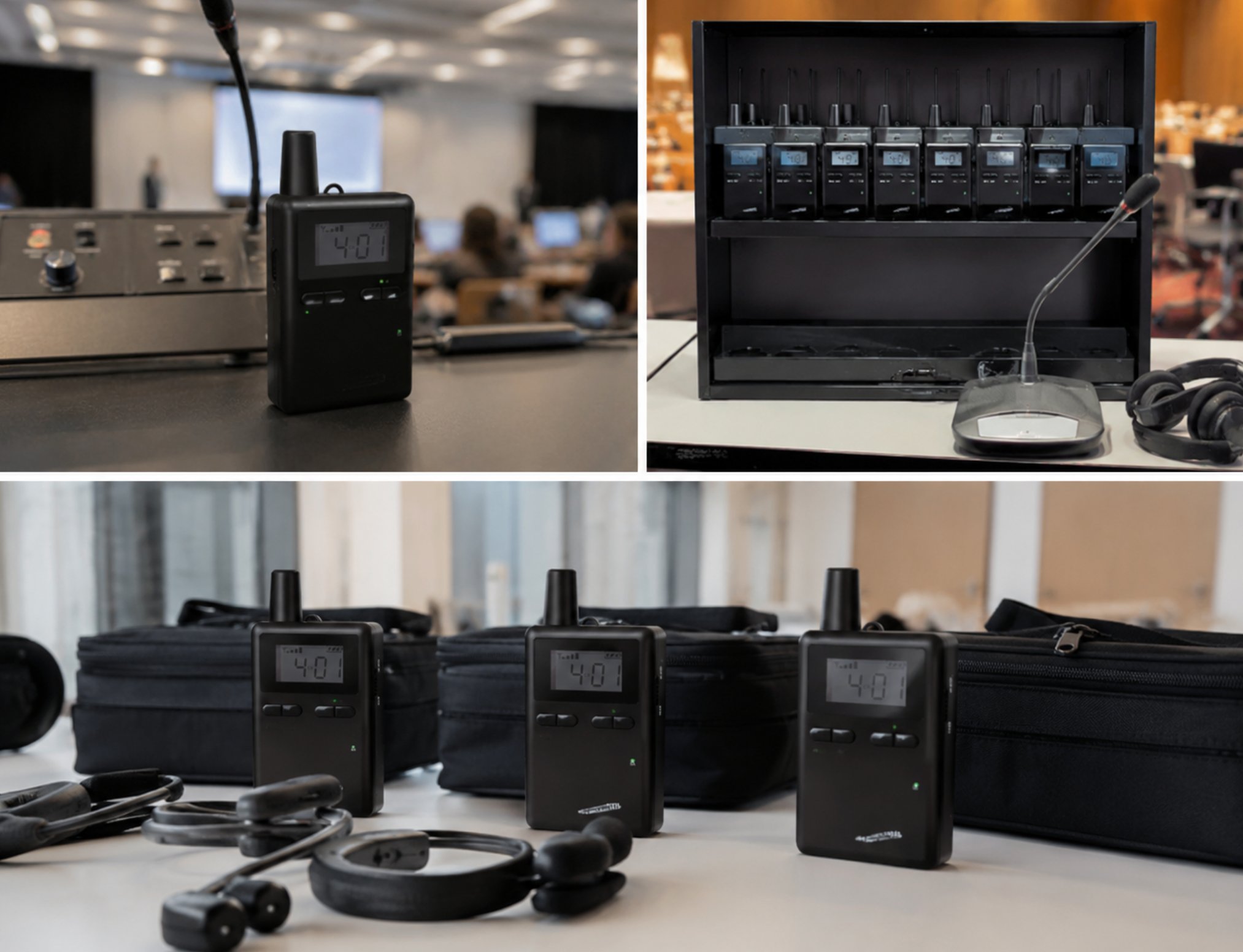
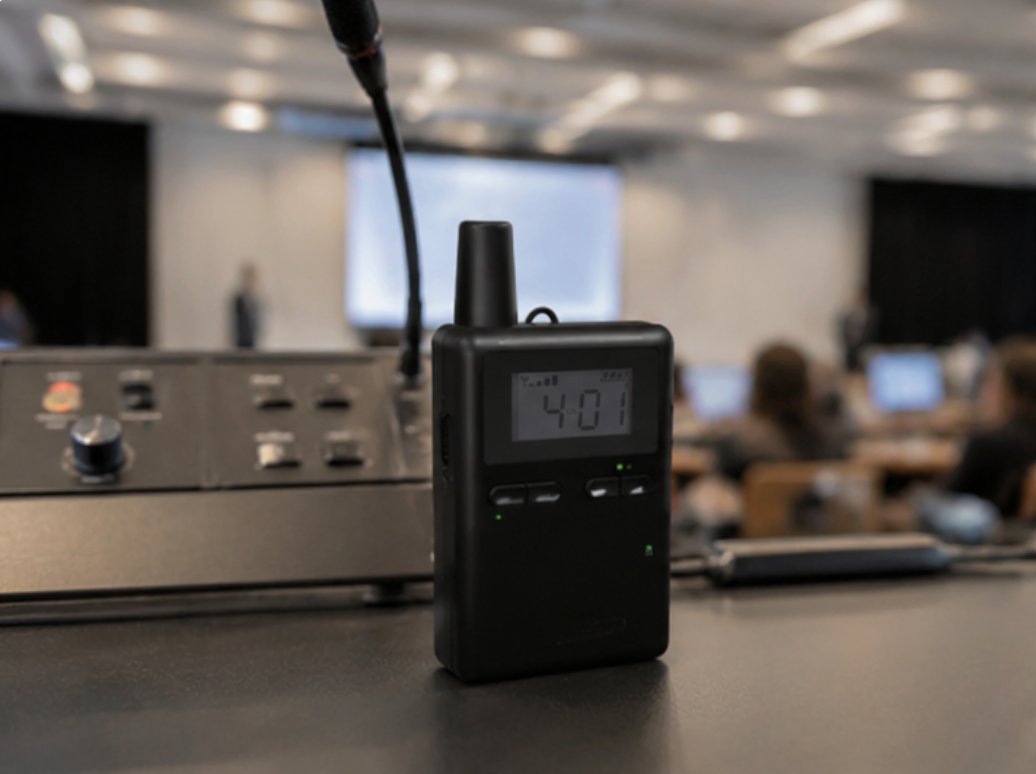
Before any conference session begins, conduct a thorough visual and functional inspection of every unit. For the RC2402 Wireless Tour Guide System, check the belt clip for signs of stress fractures and verify that the volume dial rotates smoothly without scratching. For the RC2406 80-Channel 2.4G Wireless Tour Guide System, inspect the 80-channel selector dial to ensure it clicks precisely into each position, as a worn dial can cause accidental channel switching during presentations. The RC2500 Wireless Tour Guide System features a compact housing that requires careful examination of the charging contacts, which can accumulate oxidation over time.
RC2402 RC2406 RC2500 Multilingual Conference: Maintenance and Care Guide(图1)

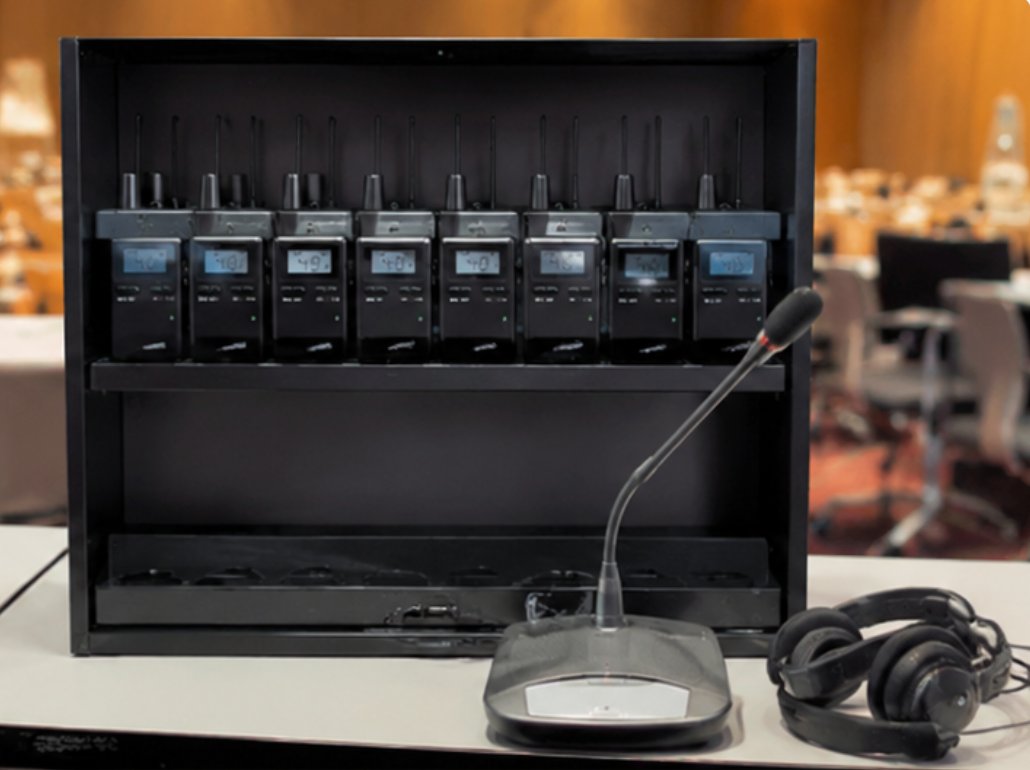
Clean all device exteriors using a soft, lint-free cloth slightly dampened with isopropyl alcohol. Pay special attention to the microphone ports and headphone jacks where debris tends to accumulate. For the RC2406, verify that the antenna connection is secure, as this model's extended range capability depends on a solid RF connection. Battery health is critical at this stage; test each unit's battery capacity and replace any packs that show diminished runtime. Label each unit with its conference session assignment to streamline the deployment process.

Phase Two: Installation and Configuration

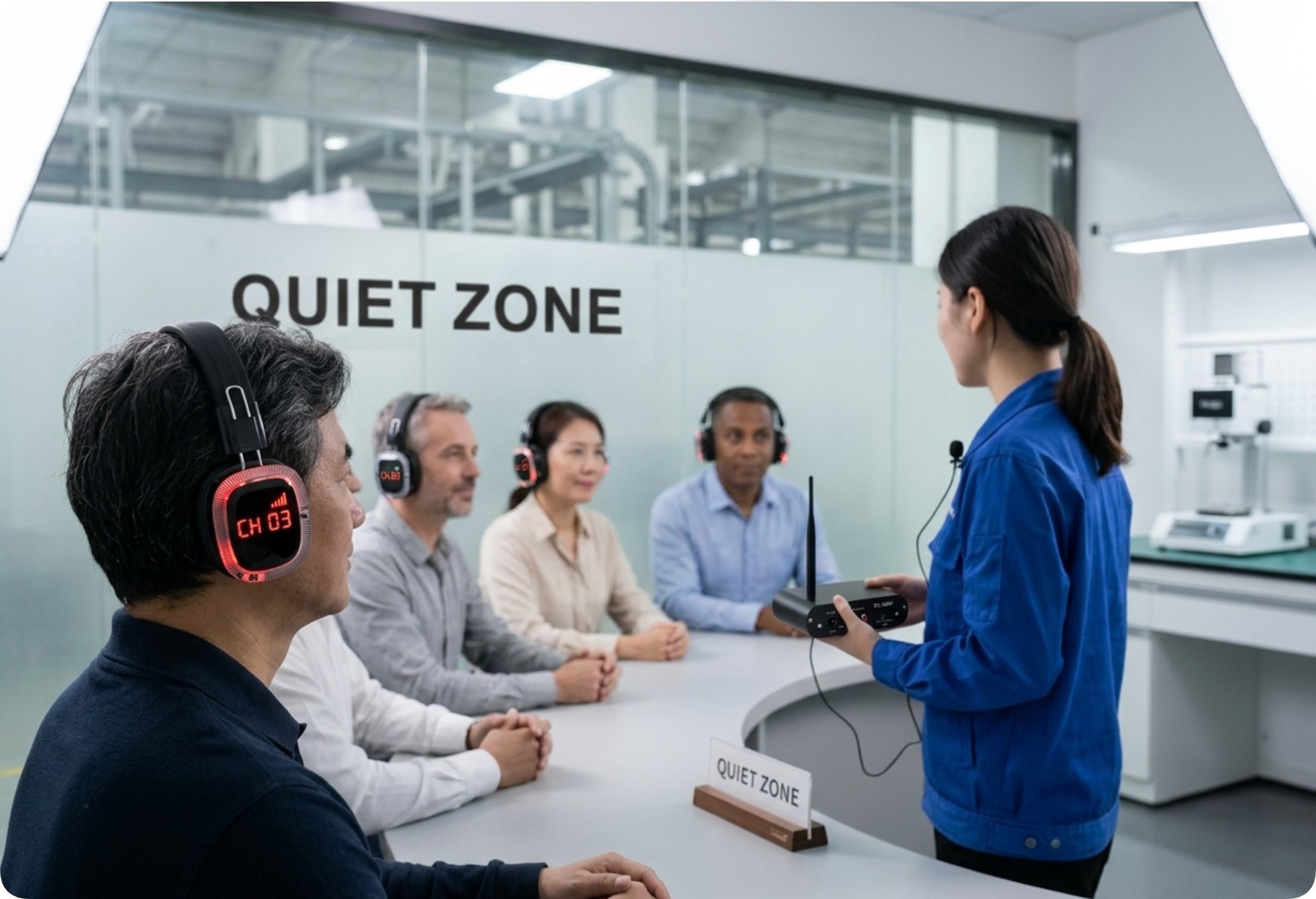
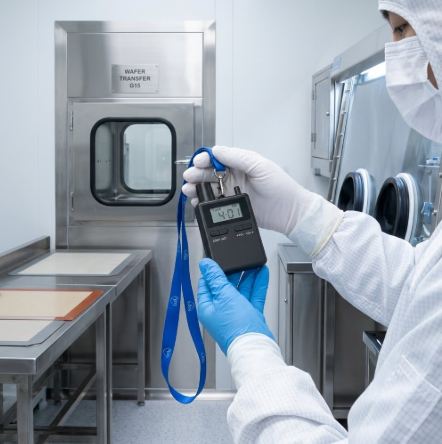
Position your transmitters at the interpreter booths and speaker podium areas, ensuring they have a clear line of sight to the receiver units in the audience. For large conference halls, the RC2406's 80-channel capability allows multiple simultaneous language groups without interference. When configuring the system, reference the RC2402 vs RC2408 comparison to confirm you have selected the appropriate channel spacing and power output for your venue size. After initial setup, walk the entire conference space with a receiver to identify any dead zones or interference sources, such as wireless routers or microwave ovens in catering areas.
RC2402 RC2406 RC2500 Multilingual Conference: Maintenance and Care Guide(图2)

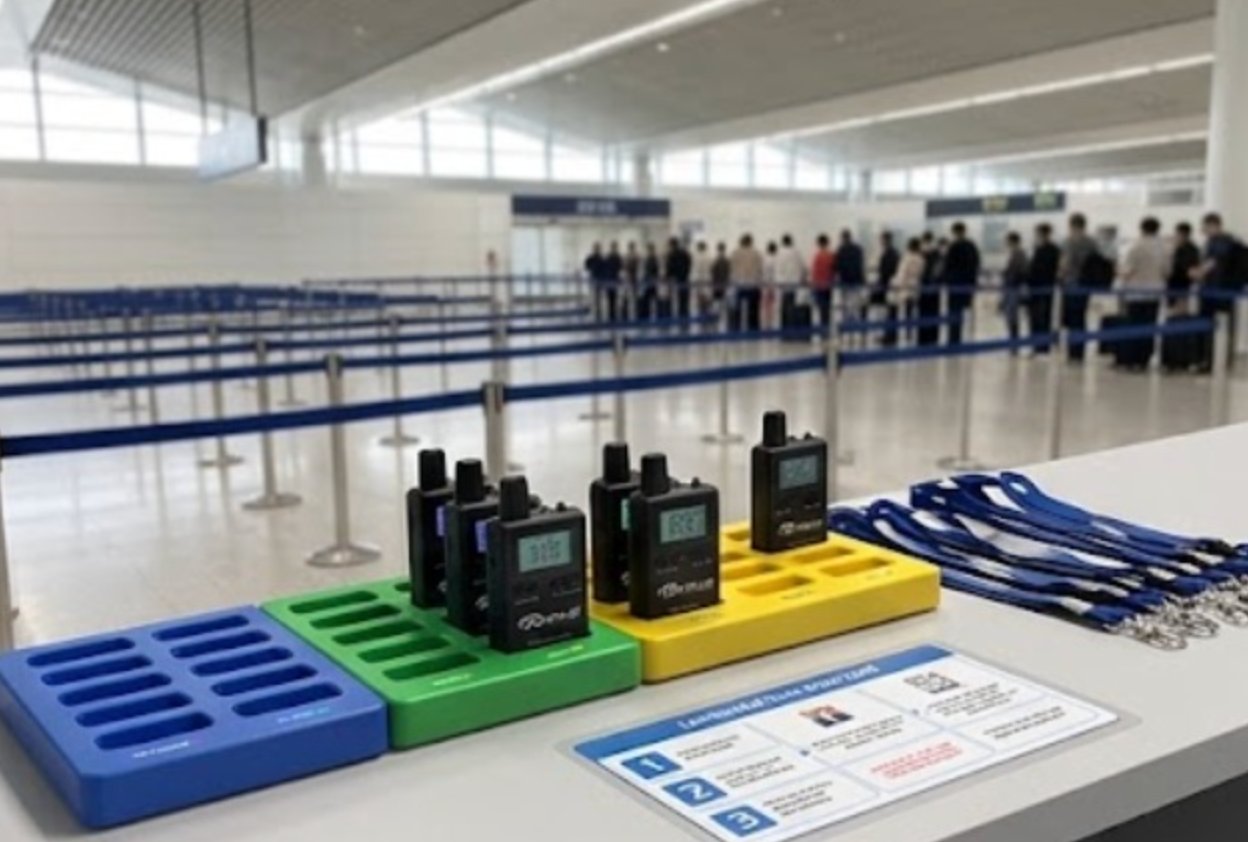
During this phase, establish a charging station protocol. Designate a dedicated area with surge-protected power strips and organize charging trays by device model. The RC2402 and RC2500 share similar charging connectors, but the RC2406 may require a different cradle. Implement a rotation schedule where every unit is charged to 100% before each session and then swapped out after four hours of continuous use. This practice prevents battery degradation from deep discharges and ensures fresh power for every conference segment.

Phase Three: Ongoing Optimization and Staff Training

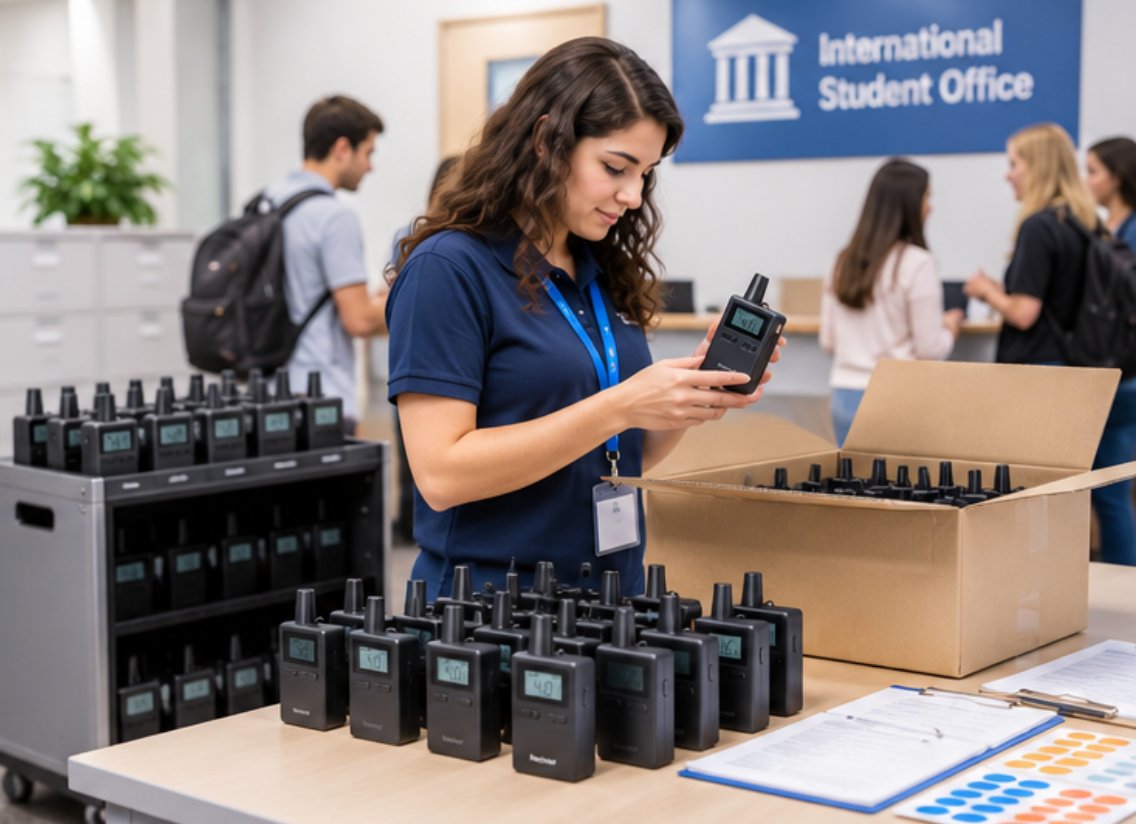
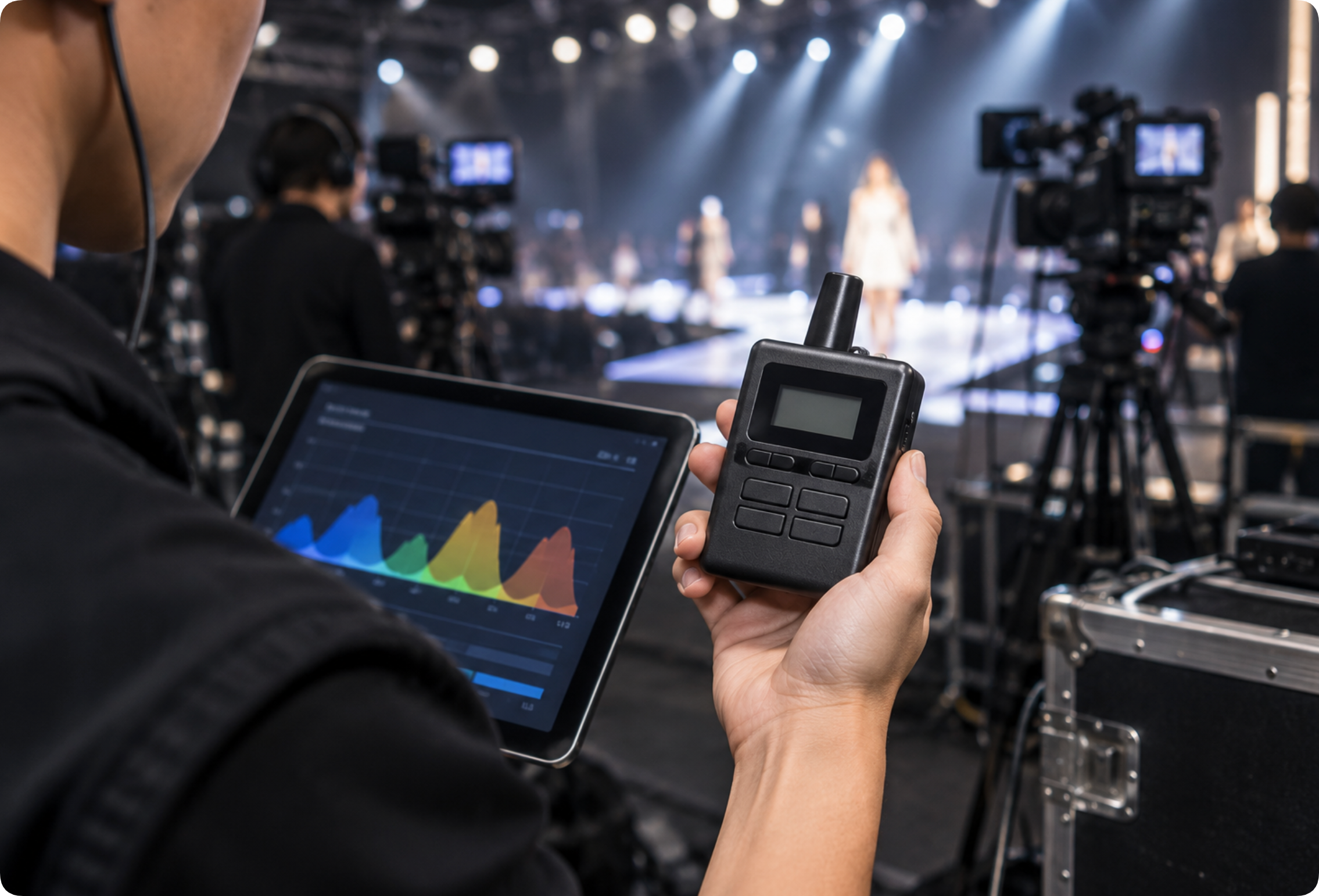
Train your technical staff on the daily maintenance routines for the wireless guide system for Multilingual Conference operations. Daily checks should include a quick audio test of every transmitter-receiver pair, verification of channel assignments, and a visual sweep for any physical damage. Weekly maintenance involves deeper cleaning of the device interiors using compressed air to remove dust from the speaker grilles and button crevices. Monthly maintenance should include a full battery calibration cycle and firmware checks if applicable.
RC2402 RC2406 RC2500 Multilingual Conference: Maintenance and Care Guide(图3)

Document all maintenance activities in a digital log that tracks each unit's service history. This data helps identify recurring issues and informs replacement decisions. For example, if a particular RC2406 unit consistently requires channel re-synchronization, it may need a factory reset or internal repair. Establish a spare unit pool representing roughly 10% of your total fleet so that any device showing signs of failure during a session can be swapped out immediately without disrupting the conference flow.

Frequently Asked Questions

Common questions about deploying RC2406, RC2402 and RC2500 in Multilingual Conference include: Do we need technical staff to operate the system? Can multiple groups tour simultaneously? What happens if a device runs out of battery mid-tour? Modern systems are designed with these scenarios in mind — intuitive operation, multi-channel support, and generous battery life with quick-swap options address each concern. For maintenance-specific queries, conference organizers often ask how frequently the units should be serviced. The answer depends on usage intensity, but a general guideline is to perform deep cleaning and battery testing after every 50 hours of operation or at least once per quarter. Another frequent question involves storage practices between conferences. Store all units in a cool, dry environment with humidity levels below 60%. Remove batteries from devices that will remain unused for more than two weeks to prevent leakage. Keep the transmitter and receiver units in padded cases to protect them from physical shocks during transport. Following these storage guidelines ensures that your equipment is ready for the next event without unexpected failures.

🔧 Product Comparison for Maintenance Planning

Understanding the differences between the three models helps conference organizers allocate maintenance resources effectively. The table below summarizes the key specifications relevant to upkeep and daily operations.

ModelPositionWeightMaintenance Focus
RC240680-channel 2.4G multi-group simultaneous tours65 gChannel dial precision, antenna connection, extended battery testing
RC2402Standard wireless tour guide for medium group tours60 gBelt clip integrity, volume dial smoothness, charging contact cleaning
RC2500Compact wireless tour guide for small to medium groups55 gCompact housing inspection, oxidation removal from contacts, button responsiveness

Each model serves a distinct role in the conference environment. The RC2406 handles large-scale multilingual sessions with its extensive channel capacity, while the RC2402 suits medium-sized breakout groups, and the RC2500 works well for intimate panel discussions. By tailoring maintenance routines to each device's specific characteristics, conference teams can maximize uptime and deliver the high-quality audio experience that multilingual events demand.

2026年08月01日 09:19
click: 231

RC2402 RC2406 RC2500 Multilingual Conference: Maintenance and Care Guide

time: 2026年08月01日 click:231

🔧 RC2406 / RC2402 / RC2500 Multilingual Conference Maintenance Walkthrough

Every minute counts in a Multilingual Conference operation. Technical audio issues cause 10+ minute delays per conference session, and when interpreters cannot hear delegates clearly, the entire program stalls. With RC2402, RC2406 and RC2500, teams can cut interpretation accuracy gaps significantly while maintaining consistent audio quality across every language channel. This implementation walkthrough focuses on the practical maintenance and care routines that keep these wireless systems performing at their peak during demanding multilingual events.

🔧 Why Maintenance Matters for Multilingual Conference Equipment

A multilingual conference is a high-stakes environment where dozens of participants rely on uninterrupted audio feeds in their native languages. Unlike a simple guided tour, conference sessions often run back-to-back with minimal downtime between presentations. The RC2406, RC2402 and RC2500 units are engineered for reliability, but they still require routine attention to deliver flawless performance. Dust, humidity, battery wear, and connector fatigue are the most common culprits behind mid-session failures. By implementing a structured maintenance schedule, conference organizers can prevent the majority of audio dropouts and channel interference issues before they affect the audience. The key benefits of RC2406, RC2402 and RC2500 for Multilingual Conference extend beyond audio quality. Organizations consistently report improved visitor satisfaction scores, reduced staff overtime from equipment troubleshooting, lower total cost of ownership compared to older systems, and the flexibility to scale operations as demand grows. When these devices are properly maintained, their lifespan extends significantly, and the return on investment becomes even more compelling. A well-maintained fleet of transmitters and receivers also projects professionalism to conference attendees who expect seamless multilingual support.

🔧 Step-by-Step Maintenance Implementation Guide

A successful deployment of RC2406, RC2402 and RC2500 for Multilingual Conference involves three key phases: preparation, installation, and optimization. During preparation, map your conference floor plan and identify any problematic zones such as areas with heavy Wi-Fi traffic or physical obstructions. Installation focuses on proper transmitter placement for optimal coverage across the venue. Optimization involves fine-tuning channel settings and training staff on the daily workflow. Each phase includes specific maintenance tasks that ensure the equipment remains in top condition throughout the event lifecycle.

Phase One: Preparation and Inspection

Before any conference session begins, conduct a thorough visual and functional inspection of every unit. For the RC2402 Wireless Tour Guide System, check the belt clip for signs of stress fractures and verify that the volume dial rotates smoothly without scratching. For the RC2406 80-Channel 2.4G Wireless Tour Guide System, inspect the 80-channel selector dial to ensure it clicks precisely into each position, as a worn dial can cause accidental channel switching during presentations. The RC2500 Wireless Tour Guide System features a compact housing that requires careful examination of the charging contacts, which can accumulate oxidation over time.

RC2402 RC2406 RC2500 Multilingual Conference: Maintenance and Care Guide(图1)

Clean all device exteriors using a soft, lint-free cloth slightly dampened with isopropyl alcohol. Pay special attention to the microphone ports and headphone jacks where debris tends to accumulate. For the RC2406, verify that the antenna connection is secure, as this model's extended range capability depends on a solid RF connection. Battery health is critical at this stage; test each unit's battery capacity and replace any packs that show diminished runtime. Label each unit with its conference session assignment to streamline the deployment process.

Phase Two: Installation and Configuration

Position your transmitters at the interpreter booths and speaker podium areas, ensuring they have a clear line of sight to the receiver units in the audience. For large conference halls, the RC2406's 80-channel capability allows multiple simultaneous language groups without interference. When configuring the system, reference the RC2402 vs RC2408 comparison to confirm you have selected the appropriate channel spacing and power output for your venue size. After initial setup, walk the entire conference space with a receiver to identify any dead zones or interference sources, such as wireless routers or microwave ovens in catering areas.

RC2402 RC2406 RC2500 Multilingual Conference: Maintenance and Care Guide(图2)

During this phase, establish a charging station protocol. Designate a dedicated area with surge-protected power strips and organize charging trays by device model. The RC2402 and RC2500 share similar charging connectors, but the RC2406 may require a different cradle. Implement a rotation schedule where every unit is charged to 100% before each session and then swapped out after four hours of continuous use. This practice prevents battery degradation from deep discharges and ensures fresh power for every conference segment.

Phase Three: Ongoing Optimization and Staff Training

Train your technical staff on the daily maintenance routines for the wireless guide system for Multilingual Conference operations. Daily checks should include a quick audio test of every transmitter-receiver pair, verification of channel assignments, and a visual sweep for any physical damage. Weekly maintenance involves deeper cleaning of the device interiors using compressed air to remove dust from the speaker grilles and button crevices. Monthly maintenance should include a full battery calibration cycle and firmware checks if applicable.

RC2402 RC2406 RC2500 Multilingual Conference: Maintenance and Care Guide(图3)

Document all maintenance activities in a digital log that tracks each unit's service history. This data helps identify recurring issues and informs replacement decisions. For example, if a particular RC2406 unit consistently requires channel re-synchronization, it may need a factory reset or internal repair. Establish a spare unit pool representing roughly 10% of your total fleet so that any device showing signs of failure during a session can be swapped out immediately without disrupting the conference flow.

Frequently Asked Questions

Common questions about deploying RC2406, RC2402 and RC2500 in Multilingual Conference include: Do we need technical staff to operate the system? Can multiple groups tour simultaneously? What happens if a device runs out of battery mid-tour? Modern systems are designed with these scenarios in mind — intuitive operation, multi-channel support, and generous battery life with quick-swap options address each concern. For maintenance-specific queries, conference organizers often ask how frequently the units should be serviced. The answer depends on usage intensity, but a general guideline is to perform deep cleaning and battery testing after every 50 hours of operation or at least once per quarter. Another frequent question involves storage practices between conferences. Store all units in a cool, dry environment with humidity levels below 60%. Remove batteries from devices that will remain unused for more than two weeks to prevent leakage. Keep the transmitter and receiver units in padded cases to protect them from physical shocks during transport. Following these storage guidelines ensures that your equipment is ready for the next event without unexpected failures.

🔧 Product Comparison for Maintenance Planning

Understanding the differences between the three models helps conference organizers allocate maintenance resources effectively. The table below summarizes the key specifications relevant to upkeep and daily operations.

ModelPositionWeightMaintenance Focus
RC240680-channel 2.4G multi-group simultaneous tours65 gChannel dial precision, antenna connection, extended battery testing
RC2402Standard wireless tour guide for medium group tours60 gBelt clip integrity, volume dial smoothness, charging contact cleaning
RC2500Compact wireless tour guide for small to medium groups55 gCompact housing inspection, oxidation removal from contacts, button responsiveness

Each model serves a distinct role in the conference environment. The RC2406 handles large-scale multilingual sessions with its extensive channel capacity, while the RC2402 suits medium-sized breakout groups, and the RC2500 works well for intimate panel discussions. By tailoring maintenance routines to each device's specific characteristics, conference teams can maximize uptime and deliver the high-quality audio experience that multilingual events demand.
×

Contact us

email:
name:
subject:
content: