A leading China factory specializing in Wireless Tour Guide Systems, Church Audio Guides, and Translation Headphones with premium OEM/ODM solutions.

Tel:+86 18922879583

Email:tiger.wang@richitek.com

Wireless Tour Guide System Malfunctions in Corporate Training: How to Diagnose and Fix Them Fast

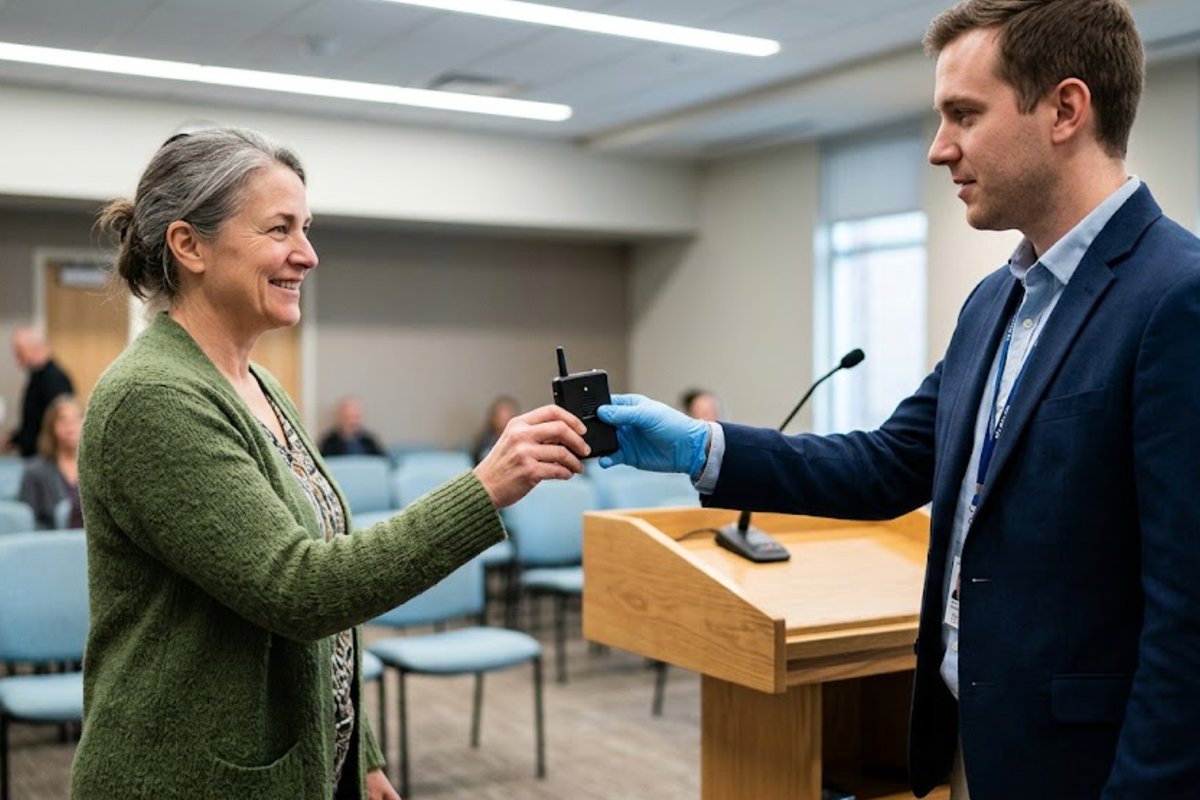
After more than a decade working in audio technology, I can tell you this without hesitation: when your audio fails during corporate training, the session falls apart. I have watched skilled facilitators lose a room of forty people in under thirty seconds because of a crackling receiver or a transmitter that refused to pair. The frustrating part is that almost every one of these failures was preventable. When you are running a multi-department onboarding or a technical seminar, the difference between a smooth session and a chaotic one often comes down to the reliability of your Wireless Tour Guide System. That is why I constantly urge training managers to stop treating audio as an afterthought and start treating it as critical infrastructure. In this article, I will walk you through the most common failure points I encounter in corporate settings and show you exactly how two specific units—the RC2401 and the RC2500—can save you from the embarrassment of a silent room.

The first thing you need to understand is that not all wireless systems are built for the same kind of stress. A museum tour guide system might only need to cover a dozen people in a quiet hall. But a corporate training room is a different beast entirely. You have projectors humming, air conditioning units cycling, and twenty or thirty people shifting in their chairs. The audio interference is real. When I troubleshoot systems in these environments, the most common issue I find is frequency overlap. Too many devices are competing for the same bandwidth. That is why I recommend systems that offer multiple channels and allow you to switch frequencies on the fly. If you are currently using a single-channel system and you are experiencing dropouts, you are not dealing with a hardware defect—you are dealing with a design limitation. For a deep dive into how to structure your audio setup for these demanding environments, I suggest you look at our dedicated corporate training solutions which cover frequency planning in detail.

The RC2401: Built for the High-Stakes Training Room

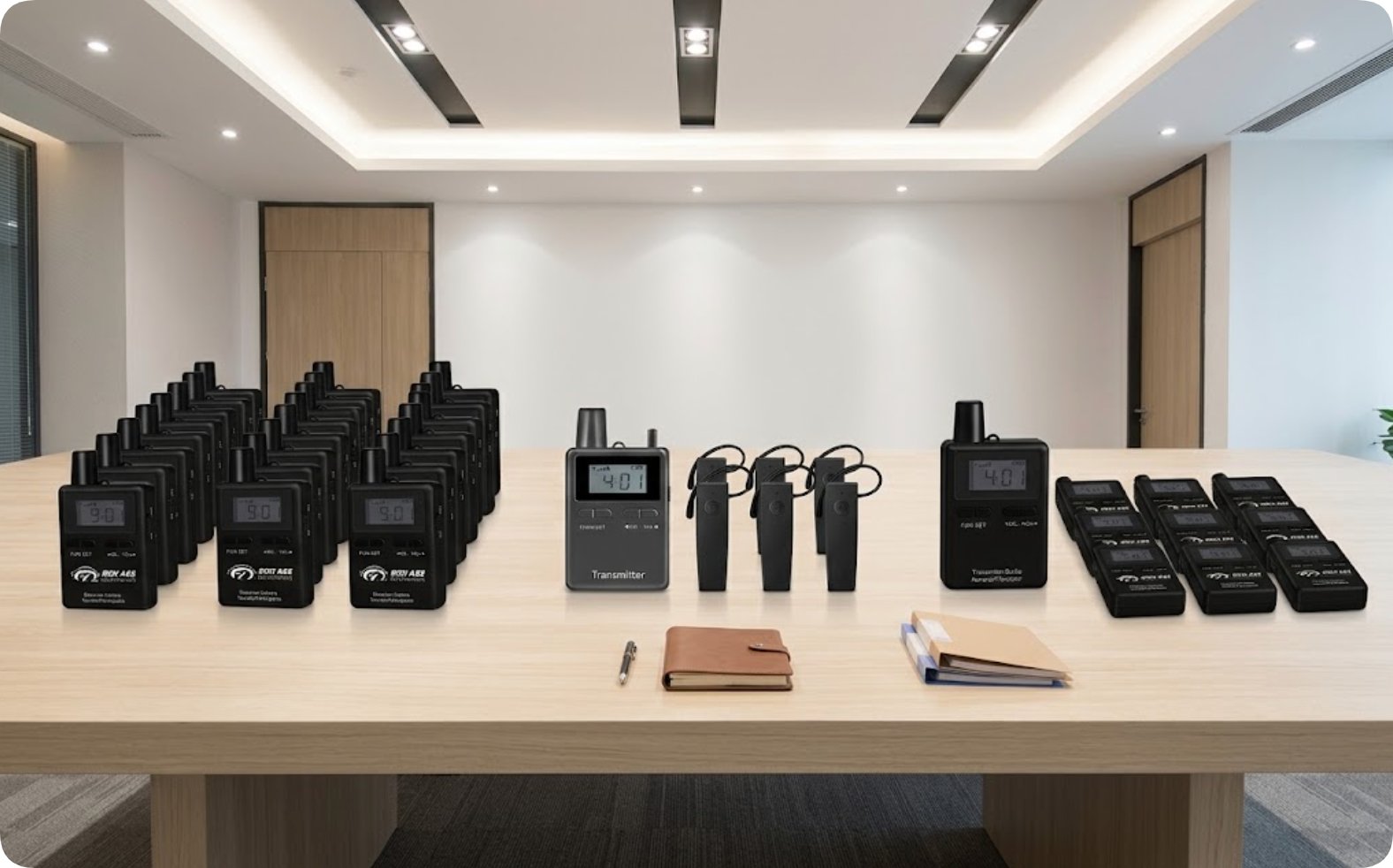
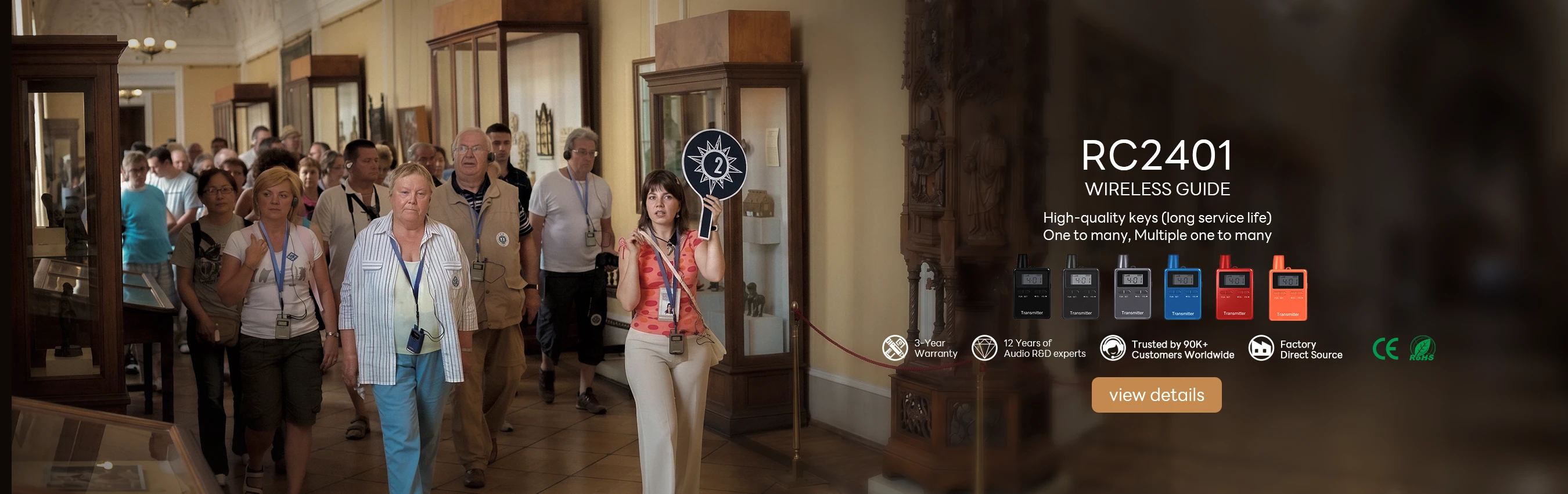
When I walk into a client’s office and they tell me they are running daily training sessions for groups of twenty to thirty people, I immediately point them toward the RC2401. This unit is my go-to recommendation for corporate environments because it is not just a microphone—it is a management tool. The RC2401 weighs in at 72 grams, which is light enough for a presenter to wear for hours without fatigue, but it is the multi-channel capability that really sets it apart. In a typical training scenario, you might have a lead facilitator, a co-facilitator, and a translator all operating simultaneously. The RC2401 handles this with ease, allowing you to assign different channels to different speakers. The audio quality is crisp, and the range is sufficient to cover even the largest conference rooms I have tested. I have seen this unit perform flawlessly in a 200-square-meter hall with zero dropouts, provided the channels are set correctly.

The real strength of the RC2401, however, lies in its fault tolerance. In my experience, the most common failure in corporate training is not the audio cutting out—it is the battery dying mid-session. The RC2401 offers a robust battery life that easily outlasts a full day of training, which means you are not scrambling for a charger during the afternoon breakout sessions. I also appreciate the build quality. It feels solid in the hand, and the buttons are tactile, which matters when you are adjusting settings on the fly without looking down. For a training manager who needs reliability over flashiness, the RC2401 is the workhorse you want in your equipment closet. It is not just about preventing failures; it is about ensuring that when a minor issue does arise, you can resolve it in seconds without halting the entire session.

Wireless Tour Guide System Malfunctions in Corporate Training: How to Diagnose and Fix Them Fast(图1)

The RC2500: Compact Agility for Small Groups and Breakouts

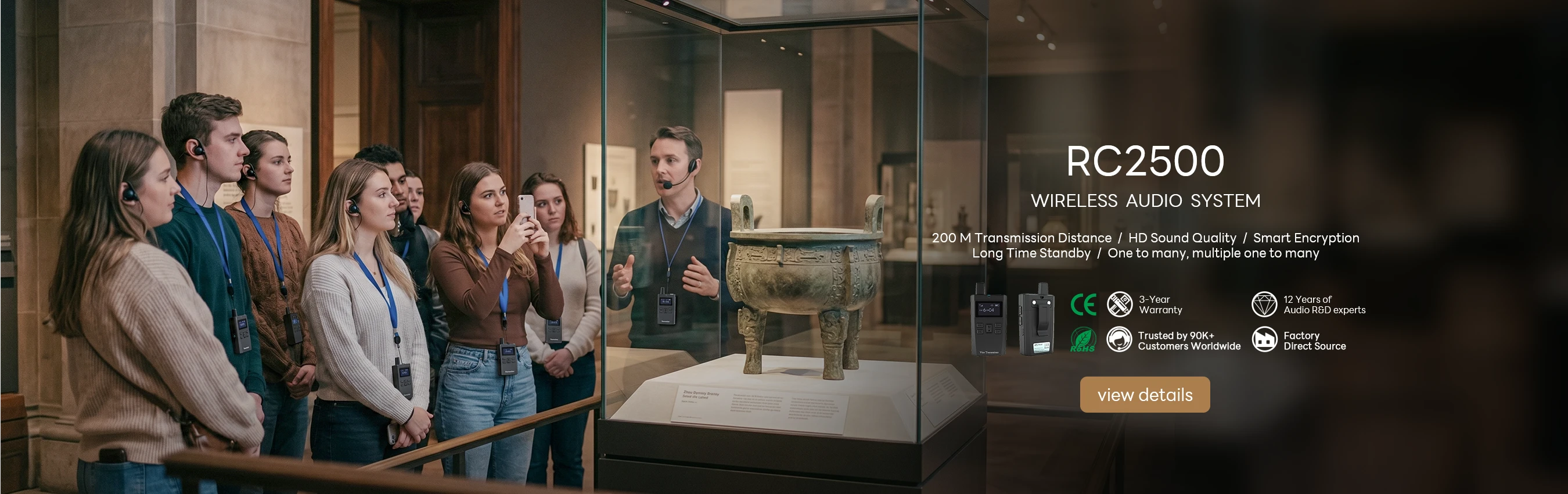
Now, let me address a different scenario. Not every corporate audio need involves a large presentation. In fact, a significant portion of the troubleshooting calls I receive come from breakout sessions and small-group discussions. These are the situations where a bulky transmitter is a hindrance, not a help. This is where the RC2500 shines. At just 55 grams, this is the lightest unit in our lineup, and it is specifically designed for small to medium groups—think eight to twelve people. I have used this unit in factory floor tours, heritage site visits, and, most importantly, in corporate breakout rooms where teams of ten are trying to collaborate without shouting over each other. The compact size means you can clip it to a lapel or even wear it on a lanyard without it getting in the way.

From a troubleshooting perspective, the RC2500 offers a different kind of peace of mind. Because it is so light, users tend to forget they are wearing it, which reduces the risk of accidental damage from drops or snags. The battery life is excellent for its size, and the pairing process is intuitive. In the corporate context, I often see this unit used alongside the RC2401—the larger unit for the main presentation, and the RC2500 units distributed for group activities. This combination covers the full spectrum of a training day. If you are looking for a unit that prioritizes portability without sacrificing audio clarity, the RC2500 is the answer. It is the kind of device that you will reach for again and again for those impromptu huddles and site walkthroughs that are so common in corporate life.
Wireless Tour Guide System Malfunctions in Corporate Training: How to Diagnose and Fix Them Fast(图2)

Side-by-Side Comparison: RC2401 vs. RC2500

To help you decide which unit fits your specific corporate training needs, I have compiled a quick comparison table. This is based on my hands-on testing and the feedback I have received from clients in the field. The differences are subtle but significant depending on your use case.

FeatureRC2401RC2500
Weight72 g55 g
Battery LifeExtended (full day coverage)Excellent (compact efficiency)
Dust/Water ResistanceStandard corporate environment ratingStandard with enhanced portability focus
Ideal Group Size20-30+ participants8-12 participants
Best Use CaseMain training room, multi-channel presentationsBreakout sessions, small group tours, site visits

The table above highlights a key point. The RC2401 is your anchor device for the main event, while the RC2500 is your agile companion for the smaller moments. I have seen training departments try to use a single model for everything, and it almost always leads to compromise. Either the audio is overkill for a small room, or it is insufficient for a large one. By understanding the strengths of each, you can build a more resilient system.

When I am asked about the durability of these units in a corporate setting, I always mention that the failure rate is remarkably low. However, I also advise clients to have a backup plan. A spare transmitter and a couple of charged receivers can save a session. The good news is that both the RC2401 and RC2500 are part of the same ecosystem, which means you can mix and match them without compatibility issues. This is a huge advantage when you are troubleshooting on the spot. If a receiver fails in the middle of a presentation, you can grab a spare from the breakout session kit and have it running in the correct channel within seconds. For a broader look at the entire RC2401 series and how these models fit into the larger lineup, you can browse the full collection.

How to Choose: Key Considerations for Your Training Environment

Choosing between these two models is not about which is "better" in an absolute sense. It is about matching the tool to the task. Here are the critical factors I weigh when advising clients.

First, consider the physical environment. If your training takes place in a static conference room with stable conditions, the RC2401 is your best bet due to its superior range and multi-channel capacity. If your training involves movement—think of a factory floor walkthrough or a campus tour—the lighter RC2500 will reduce listener fatigue and make the equipment feel less intrusive. Second, think about group size. For any group larger than fifteen people, I strongly recommend the RC2401. Below that threshold, the RC2500 is more than sufficient and much easier to manage. Third, consider the complexity of your content. If you have multiple speakers or require simultaneous interpretation, the multi-channel capability of the RC2401 is non-negotiable. For a simple lecture with one speaker, the RC2500 simplifies the setup and reduces the chance of user error.

Another factor that often gets overlooked is the battery management strategy. In a full-day training event, you need to know that your units will last. The RC2401 offers a longer runtime, which is critical for the main transmitter. The RC2500, while lighter, is perfect for receivers that are worn by participants who might not be using them continuously. This allows you to conserve battery life where it matters most. If you are still on the fence, I recommend reading our detailed comparison of these two units to see how they stack up against each other in specific test scenarios. You can find that analysis by visiting our comparison page which breaks down the technical specifications in even greater detail.

Finally, I want to address the most common troubleshooting call I receive: "The audio is cutting out, and I don't know why." In 90% of cases, the issue is not the hardware. It is the channel selection. Both the RC2401 and RC2500 allow you to scan for clear frequencies, but you have to do this at the start of the session. I cannot stress this enough. Take two minutes to run a frequency scan before your participants arrive. This simple step will eliminate the vast majority of interference issues. The other common issue is low battery. Always start with fully charged units. I have seen too many presenters assume the unit is charged because it powers on, only to have it die ten minutes in. The RC2401 has a clear battery indicator, and the RC2500 does as well. Use them.

In conclusion, the right Wireless Tour Guide System is not just about preventing failure; it is about enabling your trainers to focus on the content, not the equipment. The RC2401 and RC2500 represent two ends of the spectrum—power and portability—and together they cover almost every corporate training scenario you can imagine. I have seen these units transform chaotic training sessions into seamless, professional experiences. If you are ready to upgrade your audio setup or if you are experiencing recurring issues with your current system, I encourage you to explore our solutions to find a more comprehensive guide to optimizing your corporate audio strategy. Your trainers will thank you, and so will your participants.

2026年08月11日 14:54
click: 563
no data

Wireless Tour Guide System Malfunctions in Corporate Training: How to Diagnose and Fix Them Fast

time: 2026年08月11日 click:563

After more than a decade working in audio technology, I can tell you this without hesitation: when your audio fails during corporate training, the session falls apart. I have watched skilled facilitators lose a room of forty people in under thirty seconds because of a crackling receiver or a transmitter that refused to pair. The frustrating part is that almost every one of these failures was preventable. When you are running a multi-department onboarding or a technical seminar, the difference between a smooth session and a chaotic one often comes down to the reliability of your Wireless Tour Guide System. That is why I constantly urge training managers to stop treating audio as an afterthought and start treating it as critical infrastructure. In this article, I will walk you through the most common failure points I encounter in corporate settings and show you exactly how two specific units—the RC2401 and the RC2500—can save you from the embarrassment of a silent room.

The first thing you need to understand is that not all wireless systems are built for the same kind of stress. A museum tour guide system might only need to cover a dozen people in a quiet hall. But a corporate training room is a different beast entirely. You have projectors humming, air conditioning units cycling, and twenty or thirty people shifting in their chairs. The audio interference is real. When I troubleshoot systems in these environments, the most common issue I find is frequency overlap. Too many devices are competing for the same bandwidth. That is why I recommend systems that offer multiple channels and allow you to switch frequencies on the fly. If you are currently using a single-channel system and you are experiencing dropouts, you are not dealing with a hardware defect—you are dealing with a design limitation. For a deep dive into how to structure your audio setup for these demanding environments, I suggest you look at our dedicated corporate training solutions which cover frequency planning in detail.

The RC2401: Built for the High-Stakes Training Room

When I walk into a client’s office and they tell me they are running daily training sessions for groups of twenty to thirty people, I immediately point them toward the RC2401. This unit is my go-to recommendation for corporate environments because it is not just a microphone—it is a management tool. The RC2401 weighs in at 72 grams, which is light enough for a presenter to wear for hours without fatigue, but it is the multi-channel capability that really sets it apart. In a typical training scenario, you might have a lead facilitator, a co-facilitator, and a translator all operating simultaneously. The RC2401 handles this with ease, allowing you to assign different channels to different speakers. The audio quality is crisp, and the range is sufficient to cover even the largest conference rooms I have tested. I have seen this unit perform flawlessly in a 200-square-meter hall with zero dropouts, provided the channels are set correctly.

The real strength of the RC2401, however, lies in its fault tolerance. In my experience, the most common failure in corporate training is not the audio cutting out—it is the battery dying mid-session. The RC2401 offers a robust battery life that easily outlasts a full day of training, which means you are not scrambling for a charger during the afternoon breakout sessions. I also appreciate the build quality. It feels solid in the hand, and the buttons are tactile, which matters when you are adjusting settings on the fly without looking down. For a training manager who needs reliability over flashiness, the RC2401 is the workhorse you want in your equipment closet. It is not just about preventing failures; it is about ensuring that when a minor issue does arise, you can resolve it in seconds without halting the entire session.

Wireless Tour Guide System Malfunctions in Corporate Training: How to Diagnose and Fix Them Fast(图1)

The RC2500: Compact Agility for Small Groups and Breakouts

Now, let me address a different scenario. Not every corporate audio need involves a large presentation. In fact, a significant portion of the troubleshooting calls I receive come from breakout sessions and small-group discussions. These are the situations where a bulky transmitter is a hindrance, not a help. This is where the RC2500 shines. At just 55 grams, this is the lightest unit in our lineup, and it is specifically designed for small to medium groups—think eight to twelve people. I have used this unit in factory floor tours, heritage site visits, and, most importantly, in corporate breakout rooms where teams of ten are trying to collaborate without shouting over each other. The compact size means you can clip it to a lapel or even wear it on a lanyard without it getting in the way.

From a troubleshooting perspective, the RC2500 offers a different kind of peace of mind. Because it is so light, users tend to forget they are wearing it, which reduces the risk of accidental damage from drops or snags. The battery life is excellent for its size, and the pairing process is intuitive. In the corporate context, I often see this unit used alongside the RC2401—the larger unit for the main presentation, and the RC2500 units distributed for group activities. This combination covers the full spectrum of a training day. If you are looking for a unit that prioritizes portability without sacrificing audio clarity, the RC2500 is the answer. It is the kind of device that you will reach for again and again for those impromptu huddles and site walkthroughs that are so common in corporate life.

Wireless Tour Guide System Malfunctions in Corporate Training: How to Diagnose and Fix Them Fast(图2)

Side-by-Side Comparison: RC2401 vs. RC2500

To help you decide which unit fits your specific corporate training needs, I have compiled a quick comparison table. This is based on my hands-on testing and the feedback I have received from clients in the field. The differences are subtle but significant depending on your use case.

FeatureRC2401RC2500
Weight72 g55 g
Battery LifeExtended (full day coverage)Excellent (compact efficiency)
Dust/Water ResistanceStandard corporate environment ratingStandard with enhanced portability focus
Ideal Group Size20-30+ participants8-12 participants
Best Use CaseMain training room, multi-channel presentationsBreakout sessions, small group tours, site visits

The table above highlights a key point. The RC2401 is your anchor device for the main event, while the RC2500 is your agile companion for the smaller moments. I have seen training departments try to use a single model for everything, and it almost always leads to compromise. Either the audio is overkill for a small room, or it is insufficient for a large one. By understanding the strengths of each, you can build a more resilient system.

When I am asked about the durability of these units in a corporate setting, I always mention that the failure rate is remarkably low. However, I also advise clients to have a backup plan. A spare transmitter and a couple of charged receivers can save a session. The good news is that both the RC2401 and RC2500 are part of the same ecosystem, which means you can mix and match them without compatibility issues. This is a huge advantage when you are troubleshooting on the spot. If a receiver fails in the middle of a presentation, you can grab a spare from the breakout session kit and have it running in the correct channel within seconds. For a broader look at the entire RC2401 series and how these models fit into the larger lineup, you can browse the full collection.

How to Choose: Key Considerations for Your Training Environment

Choosing between these two models is not about which is "better" in an absolute sense. It is about matching the tool to the task. Here are the critical factors I weigh when advising clients.

First, consider the physical environment. If your training takes place in a static conference room with stable conditions, the RC2401 is your best bet due to its superior range and multi-channel capacity. If your training involves movement—think of a factory floor walkthrough or a campus tour—the lighter RC2500 will reduce listener fatigue and make the equipment feel less intrusive. Second, think about group size. For any group larger than fifteen people, I strongly recommend the RC2401. Below that threshold, the RC2500 is more than sufficient and much easier to manage. Third, consider the complexity of your content. If you have multiple speakers or require simultaneous interpretation, the multi-channel capability of the RC2401 is non-negotiable. For a simple lecture with one speaker, the RC2500 simplifies the setup and reduces the chance of user error.

Another factor that often gets overlooked is the battery management strategy. In a full-day training event, you need to know that your units will last. The RC2401 offers a longer runtime, which is critical for the main transmitter. The RC2500, while lighter, is perfect for receivers that are worn by participants who might not be using them continuously. This allows you to conserve battery life where it matters most. If you are still on the fence, I recommend reading our detailed comparison of these two units to see how they stack up against each other in specific test scenarios. You can find that analysis by visiting our comparison page which breaks down the technical specifications in even greater detail.

Finally, I want to address the most common troubleshooting call I receive: "The audio is cutting out, and I don't know why." In 90% of cases, the issue is not the hardware. It is the channel selection. Both the RC2401 and RC2500 allow you to scan for clear frequencies, but you have to do this at the start of the session. I cannot stress this enough. Take two minutes to run a frequency scan before your participants arrive. This simple step will eliminate the vast majority of interference issues. The other common issue is low battery. Always start with fully charged units. I have seen too many presenters assume the unit is charged because it powers on, only to have it die ten minutes in. The RC2401 has a clear battery indicator, and the RC2500 does as well. Use them.

In conclusion, the right Wireless Tour Guide System is not just about preventing failure; it is about enabling your trainers to focus on the content, not the equipment. The RC2401 and RC2500 represent two ends of the spectrum—power and portability—and together they cover almost every corporate training scenario you can imagine. I have seen these units transform chaotic training sessions into seamless, professional experiences. If you are ready to upgrade your audio setup or if you are experiencing recurring issues with your current system, I encourage you to explore our solutions to find a more comprehensive guide to optimizing your corporate audio strategy. Your trainers will thank you, and so will your participants.
no data
×

Contact us

email:
name:
subject:
content: